Overview
The Owner Portal feature in Msool helps you manage relationships with property owners in a professional and organized way.
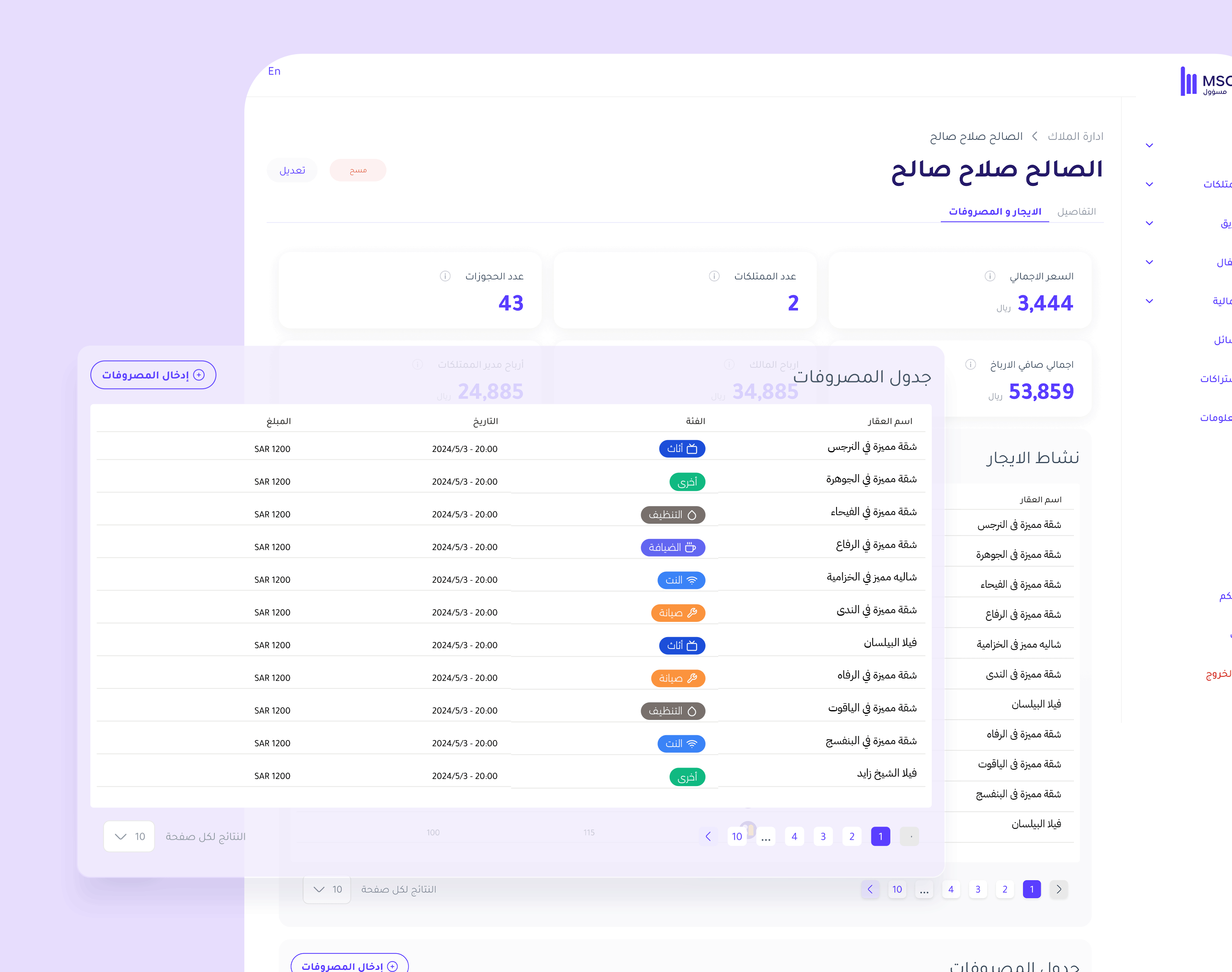
Through this section, you can track each owner’s performance, view their associated properties, and review revenue and expense details in a unified dashboard directly connected to bookings and financial reports.
All data updates automatically, keeping you informed at all times and providing owners with a transparent and trustworthy experience.
Key Benefits
1. Enhances Transparency and Trust
Share financial performance and booking details with owners at any time, giving them clear visibility into revenue and profit.
2. Simplifies Daily Monitoring
All owner and property data is available in one place, allowing quick access to the information you need without unnecessary navigation.
3. Provides Accurate Financial Insights
A financial dashboard displays revenue, expenses, and net profit with automatic updates fully integrated with booking data.
4. Strengthens Owner Relationships
By organizing and documenting all details clearly, communication becomes more professional and long-term partnerships are built on trust and clarity.
Features Inside the System
1. Owners List
Displays all registered owners in the system along with their basic information — name, phone number, country, and linked properties.
You can search, filter, or edit data easily through the interface.
2. Add a New Owner
Click Add at the top of the page.
Enter the owner’s details (first name, last name, phone number, country).
Set the owner’s revenue share percentage and the property manager’s percentage.
Select the properties you want to link to the owner.
Click Add to save the information and create the account.
3. Owner Profile
Each owner has a dedicated page that includes:
Contact information, country, and profit distribution percentages.
Owned properties with images and locations.
A financial dashboard including number of bookings, total revenue, net profit, and property manager earnings.
4. Accurate Financial Management
Revenue and expenses are displayed automatically based on bookings, with instant updates reflected inside the owner’s page.
This ensures transparent and precise calculation of profit distribution for each party.
5. Data Protection
An owner with an active account cannot be deleted until their access is removed from User Management.
This ensures financial records remain intact and no related data is lost.
System Integration
The Owner Portal works seamlessly with:
Financial Reporting System for overall performance tracking.
Booking System for accurate revenue calculation.
User Management to control access permissions for owners and operational managers.
This integration makes the Owner Portal a powerful operational tool that combines financial accuracy with administrative clarity in one centralized system.
Previous post: